Server Log Analysis for Website Security and Threat Detection
How to detect fake bots, identify scrapers, monitor suspicious IPs, and set up real-time threat alerts using server log data.
10 min readIn This Guide
1. Logs Are Your First Line of Defense
Most website owners rely on client-side analytics to understand their traffic. Google Analytics, Plausible, Fathom — these tools are excellent for understanding user behavior. But they share a fundamental blind spot: they only see what a browser executes.
Automated attacks, vulnerability scanners, credential stuffing bots, and content scrapers don't execute JavaScript. They never trigger your analytics snippet. From the perspective of client-side tools, these threats simply don't exist.
Server logs capture every single request that reaches your infrastructure. Every probe for /wp-login.php, every attempt to access /.env, every bot claiming to be Googlebot while scraping your content — it's all recorded with timestamps, IP addresses, user agents, status codes, and response times.
What server logs reveal that JS analytics miss
- Vulnerability probes — Requests targeting known exploit paths (admin panels, config files, API endpoints) that never render a page
- Credential stuffing — High-volume POST requests to login endpoints from distributed IPs
- Content scraping — Systematic crawling of your pages by bots that never load JavaScript
- Bot impersonation — Traffic disguised as legitimate search engine crawlers to bypass firewalls
- DDoS patterns — Traffic spikes from coordinated sources that overwhelm your server before any analytics can fire
- API abuse — Unauthorized or excessive use of your API endpoints by automated clients
If your security monitoring relies solely on client-side analytics, you are blind to the majority of automated threats targeting your website. Server logs are not optional for security — they are essential.
2. The Fake Bot Problem
One of the most common and underestimated security threats is bot impersonation. Bad actors set their user agent string to "Googlebot" or "Bingbot" because many websites give search engine crawlers preferential treatment: firewalls let them through, rate limits don't apply, and servers render full pages for them.
How user agent spoofing works
Setting a user agent string is trivial. A single line of code is all it takes to make any HTTP client identify itself as Googlebot. This means that user agent strings are completely unreliable as an identity mechanism. Any security rule based solely on user agent matching can be trivially bypassed.
In practice, the scale of this problem is staggering. Across sites monitored by LogLens, 30-60% of traffic claiming to be Googlebot comes from IP addresses outside Google's published ranges. These are not Google crawlers — they are scrapers, competitors, and malicious actors wearing a disguise.
Why fake bots are a security concern
- Firewall bypass — If your WAF or CDN allows "Googlebot" through without IP verification, fake bots exploit this loophole to access protected content
- Rate limit evasion — Bots disguised as crawlers often aren't subject to rate limiting, allowing them to scrape at full speed
- Resource exhaustion — Fake bots that trigger server-side rendering consume CPU and memory, degrading performance for real users
- Reconnaissance — Attackers impersonate bots to map your site structure and discover endpoints without triggering security alerts
Verifying bot identity through IP ranges
The only reliable way to verify a bot's identity is to check its IP address against the operator's published IP ranges. Google, Microsoft, OpenAI, and Anthropic all publish their crawler IP ranges. If a request claims to be Googlebot but comes from an IP outside Google's ranges, it's fake.
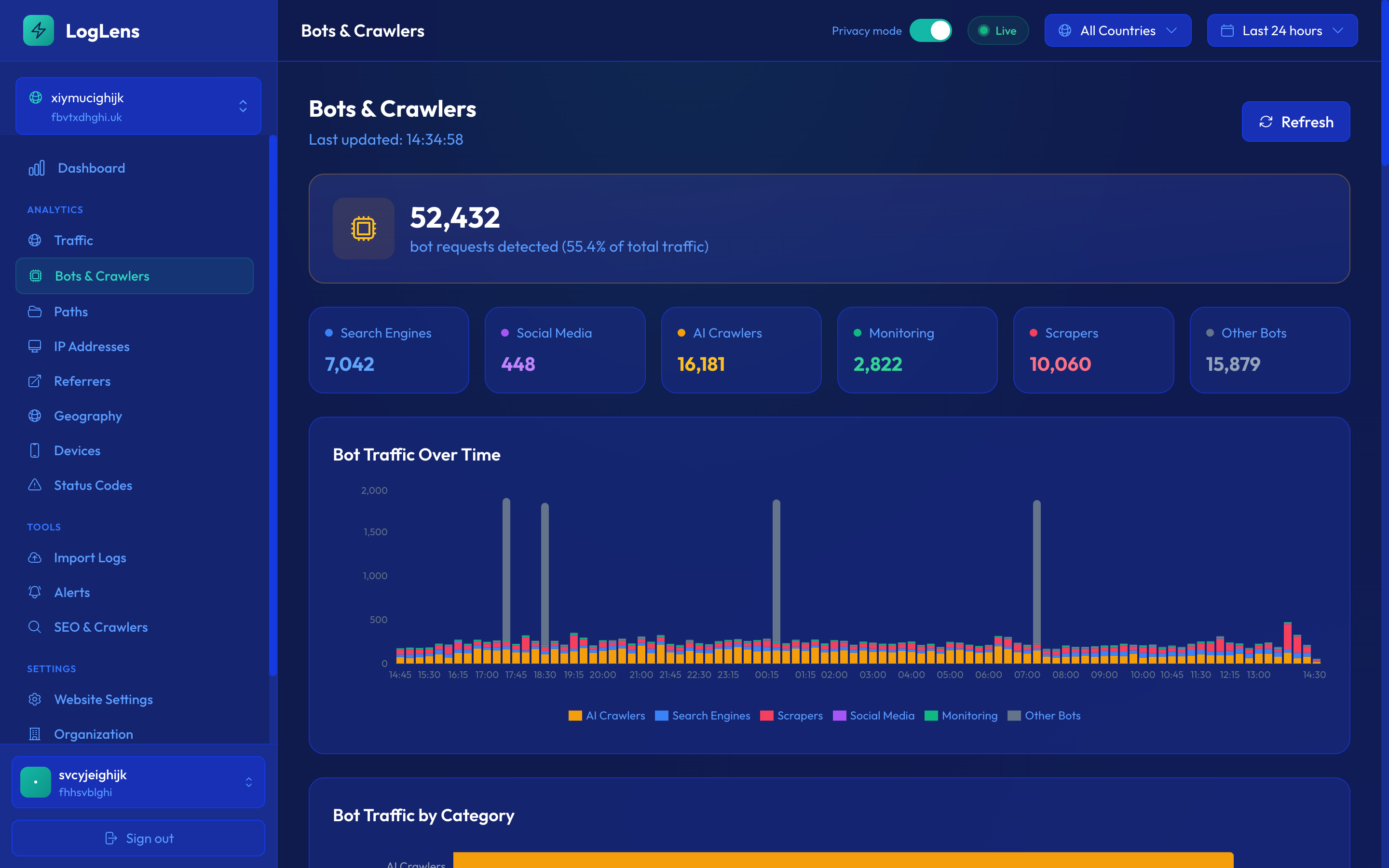
Never whitelist traffic based on user agent strings alone. Always verify bot identity by checking the source IP against the claimed operator's published IP ranges. LogLens does this automatically for all known bot operators.
3. Identifying Content Scrapers
Content scraping is one of the fastest-growing threats facing website operators. Whether it's competitors stealing your content, price scraping on e-commerce sites, or AI companies harvesting training data, scrapers follow identifiable behavior patterns in your server logs.
Behavioral patterns of scrapers
Scrapers differ from legitimate users and search engine crawlers in several observable ways:
- Rapid sequential requests — Scrapers often request pages at a rate of several per second with near-identical intervals between requests, far faster than any human browsing pattern
- Systematic URL traversal — They crawl pages in sitemap order, alphabetical order, or by incrementing URL parameters — patterns no human would follow
- No asset loading — Scrapers request HTML pages but rarely load CSS, JavaScript, images, or fonts. In your logs, you'll see page requests with no corresponding asset requests
- Same paths as bots, unverified IPs — They access the same content-rich pages that search engines target, but from IPs that don't belong to any legitimate bot operator
- No referrer or cookie data — Scrapers rarely send referrer headers or maintain cookie sessions
AI training crawlers
A newer category of scrapers is AI training crawlers. While some (like GPTBot and ClaudeBot) identify themselves honestly and respect robots.txt, others disguise themselves or use residential proxies to avoid detection. Key indicators in your logs include:
- High-volume crawling focused on text-heavy pages
- Requests that skip images and media entirely
- User agents that don't match any known crawler database
- Crawl patterns that cover your entire site systematically over a short period
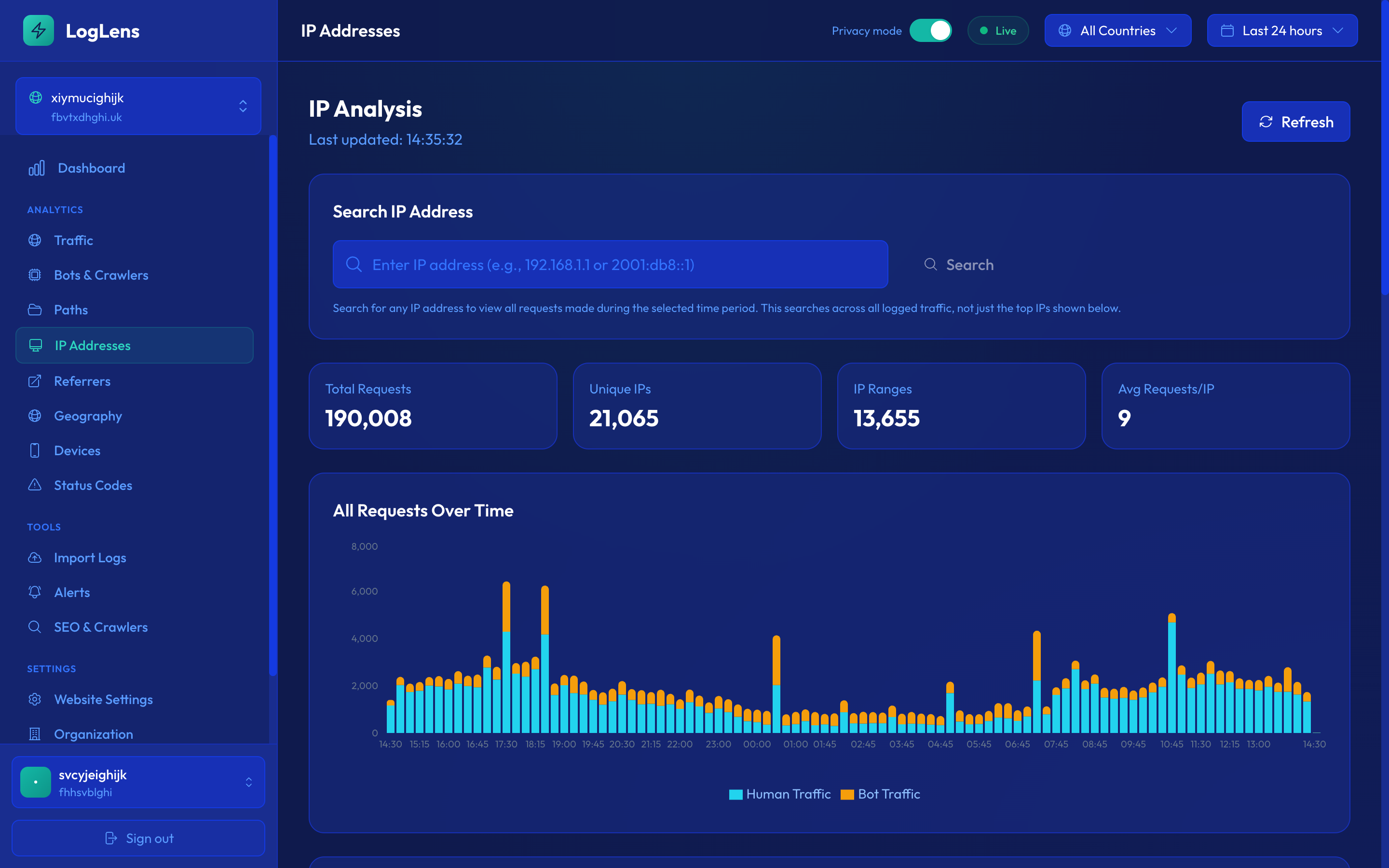
Group requests by IP address and sort by volume. The top requesters that aren't verified bots are almost always scrapers. Cross-reference with the paths they're requesting — if they're hitting content pages systematically, you've found your scraper.
4. Suspicious IP Pattern Detection
Beyond individual bot verification and scraper detection, server logs reveal broader patterns of suspicious activity when you analyze traffic at the IP level. These patterns are often invisible in aggregate analytics but become clear when you examine request-level data.
High-volume single IPs
Any single IP address generating hundreds or thousands of requests per hour is worth investigating. Legitimate users rarely exceed a few dozen page views in an hour. When you see a single IP making 500+ requests, it's almost certainly automated — whether it's a scraper, a vulnerability scanner, or a poorly configured monitoring tool.
Distributed scraping from IP ranges
Sophisticated scrapers distribute their requests across many IP addresses to avoid simple volume-based detection. Look for:
- Adjacent IP addresses — Multiple IPs in the same /24 subnet all making similar requests indicate coordinated activity from a single operator
- Same behavioral fingerprint — Different IPs that request the same paths in the same order, with the same user agent, and the same timing patterns
- Cloud provider IPs — Legitimate users rarely browse from AWS, Google Cloud, or Azure IP ranges. Traffic from data centers is almost always automated
Geographic anomalies
A sudden surge of traffic from a country where you have no audience is a red flag. If your site serves an English-speaking audience and you see a spike of requests from IP addresses in a country you've never had traffic from, it often indicates:
- A new scraping operation targeting your content
- A proxy network being used to distribute attacks
- Credential stuffing using compromised accounts from a specific region
Scanning behavior
Vulnerability scanners have a distinctive pattern in server logs. They request paths that don't exist on your site but are common targets on other platforms:
- CMS probes —
/wp-login.php,/wp-admin/,/administrator/,/xmlrpc.php - Configuration files —
/.env,/config.yml,/.git/config,/wp-config.php - API endpoints —
/api/v1/users,/graphql,/swagger.json - Debug and admin paths —
/debug/,/phpinfo.php,/server-status,/actuator/health
While these requests typically return 404 errors and pose no immediate threat (assuming your server is properly configured), they indicate that your site is being actively targeted. A spike in scanning activity often precedes more targeted attacks.
Don't ignore 404s. A high volume of 404 requests to sensitive paths (admin panels, config files, API endpoints) from a single IP or IP range is a clear indicator of automated vulnerability scanning. Log these IPs for monitoring or blocking.
5. Real-Time Alerting
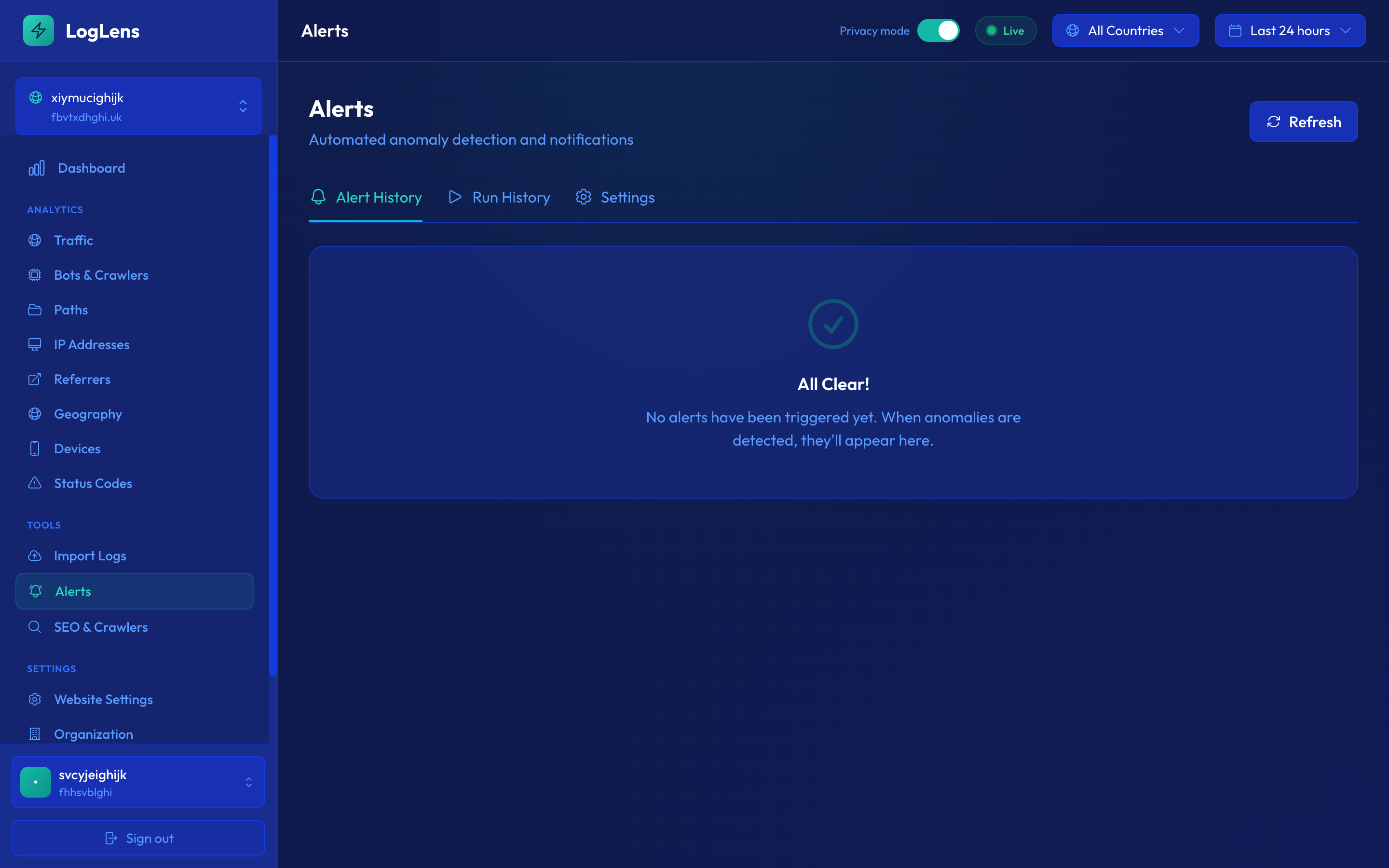
Detecting threats in historical log data is valuable, but detecting them as they happen is critical. Real-time alerting turns your server logs from a forensic tool into an active defense system.
Traffic spike alerts
Sudden increases in request volume can indicate a DDoS attack, a scraping campaign, or a viral event. The key is distinguishing between legitimate traffic surges and malicious ones. Effective traffic spike alerts should:
- Use a rolling baseline rather than a fixed threshold, so normal traffic growth doesn't trigger false positives
- Alert on the rate of change, not just the absolute number — a 5x increase in 10 minutes is more concerning than a gradual rise over hours
- Break down by traffic type: a spike in bot traffic is very different from a spike in human traffic
Error surge alerts
A sudden increase in 4xx or 5xx errors often signals a problem:
- 5xx surge — Your server is struggling under load, a deployment went wrong, or a backend dependency is failing
- 4xx surge — A scraper is probing paths that don't exist, a link rot issue has surfaced, or an attacker is testing for vulnerabilities
- 403 surge — Repeated access to forbidden resources may indicate an attacker testing for authentication bypasses
Unusual bot activity alerts
Monitor for sudden changes in bot behavior patterns:
- A new unverified bot appearing with high request volume
- A verified bot (like Googlebot) suddenly increasing its crawl rate dramatically, which may indicate a server-side issue causing re-crawling
- A spike in unverified "Googlebot" traffic, indicating a new scraping campaign impersonating search engines
Configuring effective thresholds
The most common mistake with security alerting is setting thresholds too aggressively, leading to alert fatigue. Start with conservative thresholds and tighten them over time:
- Begin with alerts for 10x normal traffic volume and reduce as you learn your patterns
- Set different thresholds for different times of day — nighttime traffic spikes are more suspicious than daytime ones
- Use a minimum cooldown period between alerts (15-30 minutes) to avoid being flooded during a sustained attack
- Route critical alerts (5xx surges, verified bot anomalies) to Slack or PagerDuty, while sending lower-priority alerts (new unverified bots) to email
Start with three core alerts: traffic volume spike (5x+ baseline), 5xx error rate exceeding 5%, and new high-volume unverified bot. These three cover the most critical security scenarios with minimal noise.
6. Response Strategies
Detecting threats is only half the battle. Once you've identified malicious traffic through log analysis, you need a response strategy that neutralizes the threat without disrupting legitimate users.
Blocking IPs at the CDN or firewall level
The most effective place to block malicious traffic is at the edge, before it reaches your origin server. Most CDN providers (Cloudflare, AWS CloudFront, Fastly) support IP-based blocking rules:
- Block individual IPs that are actively attacking or scraping your site
- Block entire /24 or /16 CIDR ranges when you identify coordinated activity from adjacent IPs
- Use geo-blocking as a last resort if you're experiencing sustained attacks from a region where you have no legitimate audience
Rate limiting
Rather than outright blocking, rate limiting allows you to throttle suspicious traffic while still serving legitimate requests:
- Set per-IP rate limits that are generous enough for human browsing (e.g., 60 requests per minute) but restrictive enough to slow down scrapers
- Apply stricter rate limits to sensitive endpoints (login pages, API endpoints, admin panels)
- Return 429 (Too Many Requests) status codes with a Retry-After header so legitimate clients can back off
Robots.txt for crawlers
For bots that respect robots.txt (including most AI crawlers that identify themselves), you can restrict access at the directive level:
- Block specific crawlers entirely:
User-agent: GPTBotwithDisallow: / - Allow crawling but restrict to specific sections of your site
- Use crawl-delay directives to slow down aggressive crawlers that respect them
Robots.txt is an honor system. It only works for bots that choose to respect it. Malicious scrapers and fake bots will ignore it entirely. Always combine robots.txt directives with IP-level blocking and rate limiting for comprehensive protection.
Monitoring the effectiveness of your blocks
After implementing any blocking or rate limiting measure, continue monitoring your logs to verify it's working:
- Verify the block is active — Check that requests from blocked IPs are now returning 403 or are being dropped at the edge
- Watch for IP rotation — Sophisticated scrapers will switch to new IPs when blocked. If you see the same behavior pattern from new IPs shortly after blocking, you're dealing with a more determined actor
- Check for collateral damage — Monitor for legitimate users who might be affected by range blocks or geo-blocks. A spike in support requests after implementing blocks is a red flag
- Track trends over time — Are your security measures reducing overall malicious traffic, or are attackers simply adapting? Log analysis over weeks and months reveals whether your strategy is working
Create a security review cadence: weekly reviews of top IPs and bot verification rates, monthly reviews of alerting thresholds, and quarterly reviews of your overall blocking strategy. Threats evolve, and your defenses should evolve with them.
Key Takeaways
- Server logs detect threats that client-side analytics completely miss — automated attacks, vulnerability probes, and scraping never trigger JavaScript.
- Always verify bot identity via IP ranges — user agent strings are trivially spoofed, and 30-60% of claimed Googlebot traffic is fake.
- Scraper behavior follows identifiable patterns: rapid requests, sequential URL access, no asset loading, and unverified IPs.
- Real-time alerting on traffic anomalies, error surges, and unusual bot activity is your early warning system for active threats.
- Combine blocking with ongoing monitoring to verify your security measures are effective and adapt as threats evolve.
Protect your website with real-time log analysis
LogLens automatically detects fake bots, flags suspicious IPs, and alerts you to threats in real-time.
Join Waitlist