Clearer page evidence, with help close at hand
Inspect a page from the app header, see when each source was recorded, read clearer Site Checks results, and send feedback without leaving the app.
Inspect a URL from anywhere. The app header has an Inspect a URL box. Type a path or paste a full URL to open that page's detail view, which brings together its traffic, crawler activity, sitemap, search and crawl evidence.
Every source shows its date. Log evidence follows the dates you select, while sitemap membership, Google inspections, crawls and Search Console each show when they were recorded. The page shows the exact URL Google inspected, and whether the URL was in your last complete sitemap, confirmed removed, not found, or unknown because membership could not be confirmed. Missing evidence is labelled as missing rather than treated as a problem. Google inspection results are stored results from Search Console, not a live crawl or indexing request.
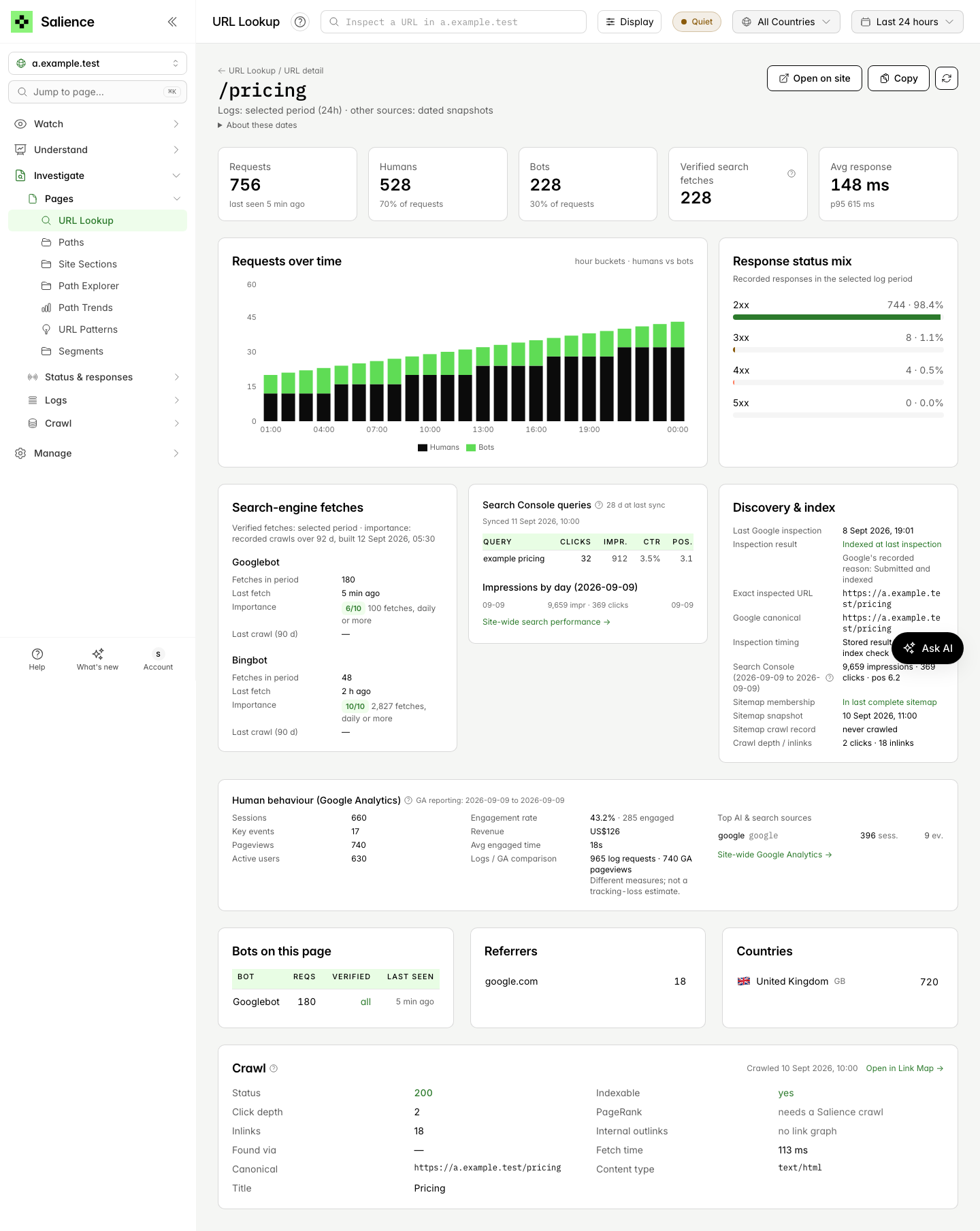
Example data.
Clearer Site Checks. A check that could not be evaluated shows as unknown, and one that does not apply shows as not applicable; neither counts as a pass. Sitemap and robots.txt results show the URL requested, the final URL and what came back. They separate partial or unconfirmed results from failures, and treat cookie and caching headers as advice.
Send feedback from the app. Choose Send feedback from the Help or Account menu. Your message is saved with the site, page and period you were viewing, and the dialog confirms when it has been saved.
Read more in URL detail, Sitemap and robots.txt checks and Sending feedback.